The one-photo way
- Pick a photo of yourself: one person, facing the camera, head to waist or full body.
- Upload it above and choose 480p or 720p.
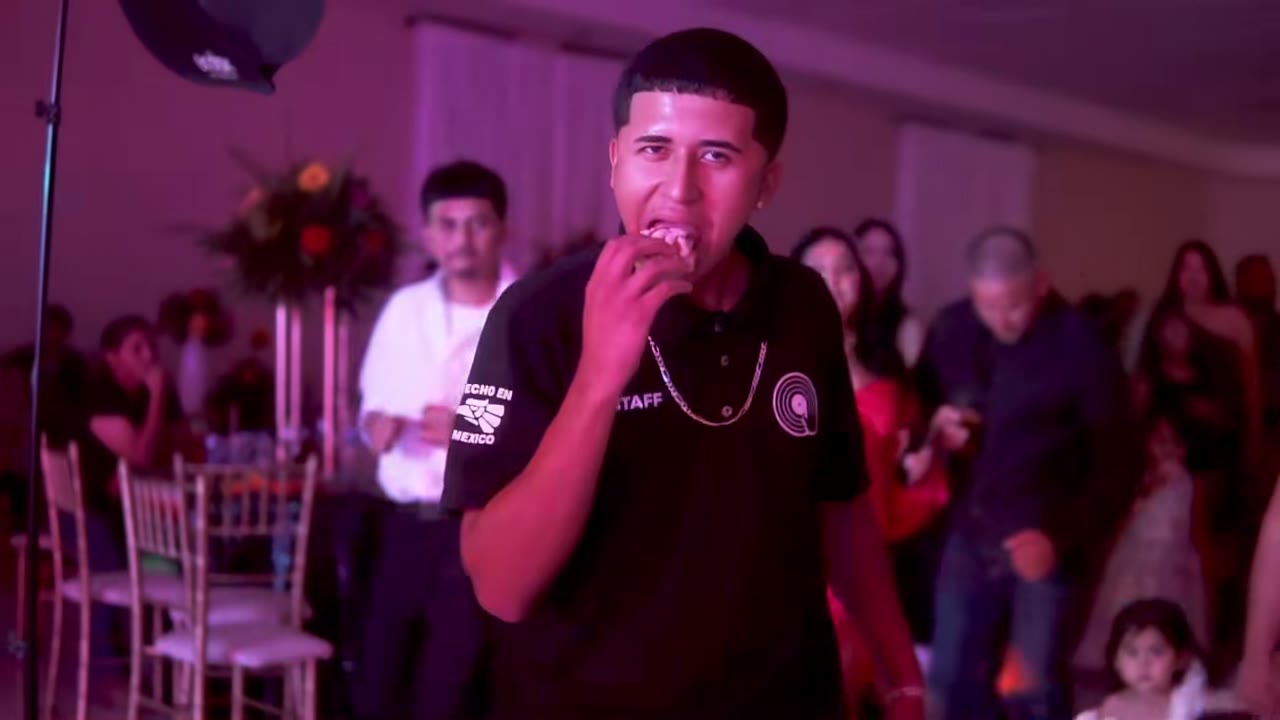
- Press generate. You replace the dancer in the original clip: the dance in, the concha bite, the stare and the dance away.
- Download the video when it is ready, usually within a few minutes.
- Open TikTok or Reels, upload the video and pick the BbY WOW or "dime dime baby" sound.
Photo tips that make the difference
- Face the camera: the close-up stare is the punchline, and a side profile loses it.
- Keep it to one person. Crop group photos before you upload.
- Show at least head to waist so the model can rebuild the dance.
- Avoid sunglasses, masks, hats that hide the eyes and blurry selfies.
- Only use your own photo or one of an adult who agreed.
Other ways people make it
| Way | What you need | Good to know |
|---|---|---|
| CapCut template | The CapCut app, often a paid plan or credits | Most tutorials link one; commenters report paywalls and renders stuck at 90% |
| Green-screen cut-out | A video editor and your own footage | Free, but you film and key it yourself |
| Kling, Seedance or Wan yourself | An account and the original clip | Full control, more steps |
| This site | One photo | No app or editing; the clip is fixed |
Posting it
The video keeps the original horizontal 16:9 frame, like the clip people know. On TikTok it plays with bars above and below; that is how most versions are posted. Add the sound inside the app so the music is licensed by the platform. Hashtags people use: #DimeDimeBaby #BaileDimeDimeBaby #BbYWow #miradapreñadora.
Where the clip comes from: the Dime Dime Baby trend explained.